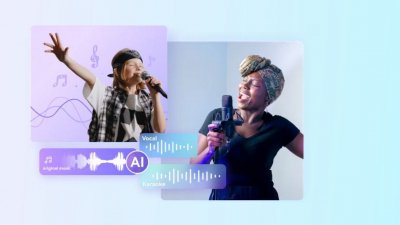
In a world where content creation on YouTube is so popular, one of the fundamental aspects to achieve a high-quality product is audio editing. In this dynamic world, some of the most sought-after tools are those that allow the removal of voices from video for dubbing, karaoke creation, or background music extraction.
Now, it should be noted that in many cases, video creators need to remove voices from the video and then publish it on YouTube, especially when the recording has been done in places with many people and a lot of noise. Due to constant innovations in this sector, today there are different methods that allow proceeding with the removal of voices. Sometimes it may be useful to use the online voice remover that uses artificial intelligence, although many times it is necessary to install audio editing software such as Wondershare Uniconverter that allows obtaining high-quality results. The most expert videomakers use manual editing to remove the voice from the background music.
Choosing which method to use will depend on personal needs and the results you want to achieve. But don't worry, because in today's guide we are going to present each of these methods on how to remove voices from YouTube video in 2024 to silence and give a new twist to your audiovisual creations.
Method 1: Use professional audio editing software
Let's start today's guide by presenting the first method to silence the voices of a video. With this first method, it is suggested to use professional audio editing software that is easily available online and quick to install that will allow you to obtain incredible results.
This is a method that is aimed especially at advanced practitioners and professionals in the sector who seek to proceed with a video division that guarantees precise control over the removal of the voice and obtain quality results without compromising the original audio.
That said, it should be noted that there are different types of software available today on the internet. Next, we are going to present the two most popular options.
1. Audacity
Audacity is a free and open-source software that offers a wide range of tools to edit audio, including the ability to remove voices.
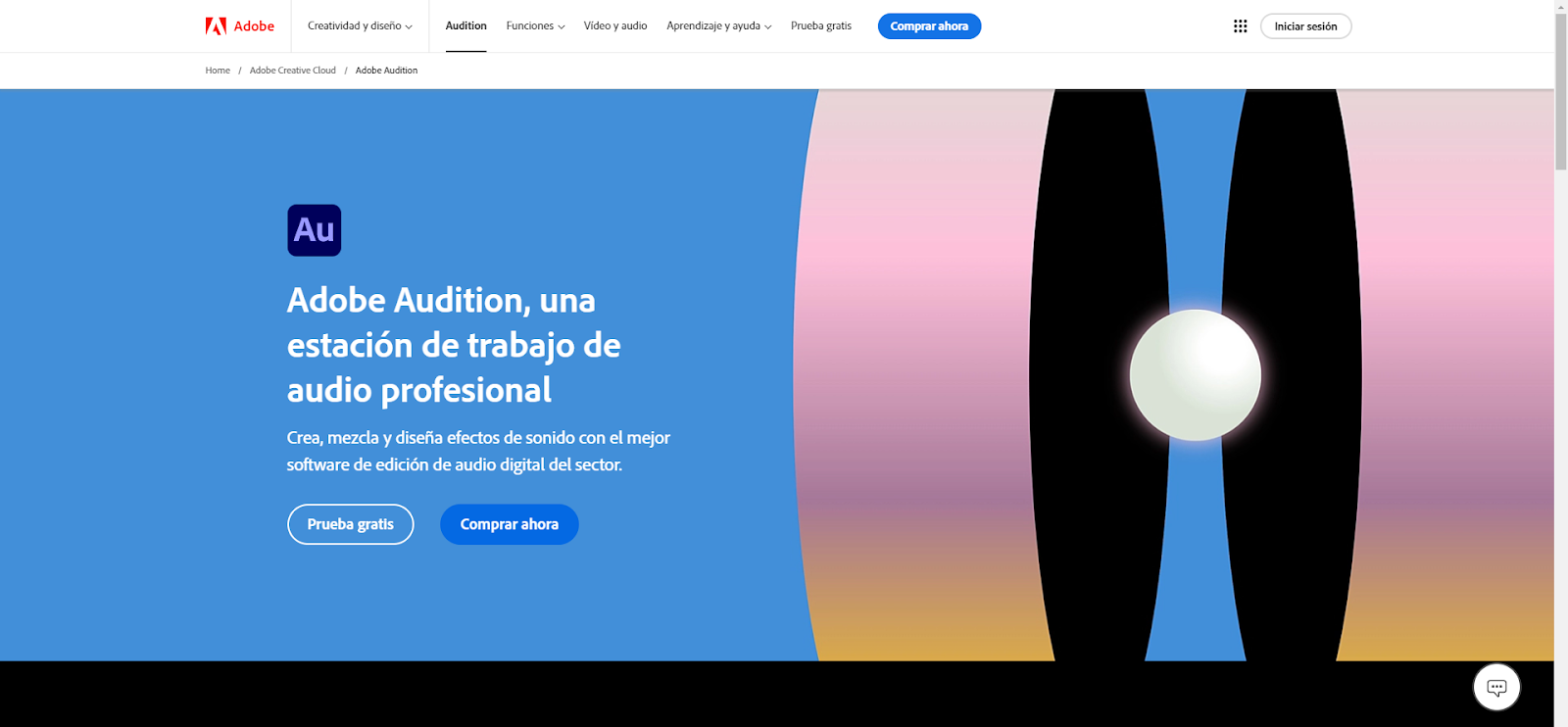
2. Adobe Audition
For the most professional content creators with technical knowledge in the sector, it is advisable to prefer Adobe Audition. It is a professional software where the editor is integrated into the wide variety of advanced audio management functions, including spectral noise illusion and voice removal based on artificial intelligence.
Now that we have presented the two most popular options for programs to edit audio and remove voices, we want to highlight that this is a method that has interesting advantages to offer and also some drawbacks that you should know.
- Advantages:
- Precise control over voice removal by manually adjusting parameters such as cutoff frequency and amount of voice reduction.
- High quality thanks to the use of advanced algorithms.
- Versatility for removing voices from various types of audio such as music, podcasts or interviews.
- Additional functions such as equalization, compression and the addition of effects.
- Disadvantages:
- Complexity: These applications can be complex to use, especially for beginners, so they are aimed especially at those who master the tools.
- Paid software.
- Necessary computer resources, especially for long videos or complex audios.
Method 2: Erase voices from videos using AI tools
As an alternative to downloading professional software, there is the possibility of using solutions based on artificial intelligence. In this case, it will also be necessary to download a program, but it will be easier to use thanks to AI. This is a method that is indicated for users of all levels, from beginners to advanced professionals who are looking for a quick and easy way to remove voices from YouTube videos.
Of all the options available on the internet, one of the best is Wondershare UniConverter, an extremely powerful tool that offers a wide range of functions for audio and video editing, including voice separator. It is precisely the voice separator functionality that has caught the attention of many content creators who are looking for solutions based on artificial intelligence.
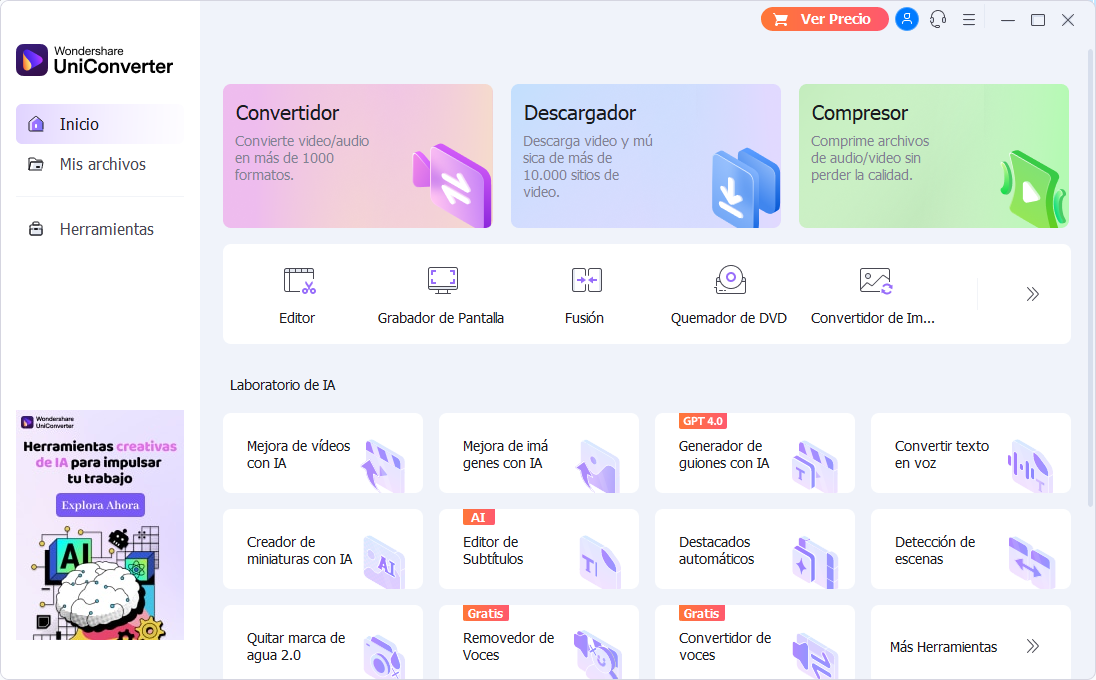
With this functionality, AI is used to separate voices from background music automatically in a matter of seconds. What many highlight is the simple process of applying this extremely interesting tool.
The steps to follow are very few:
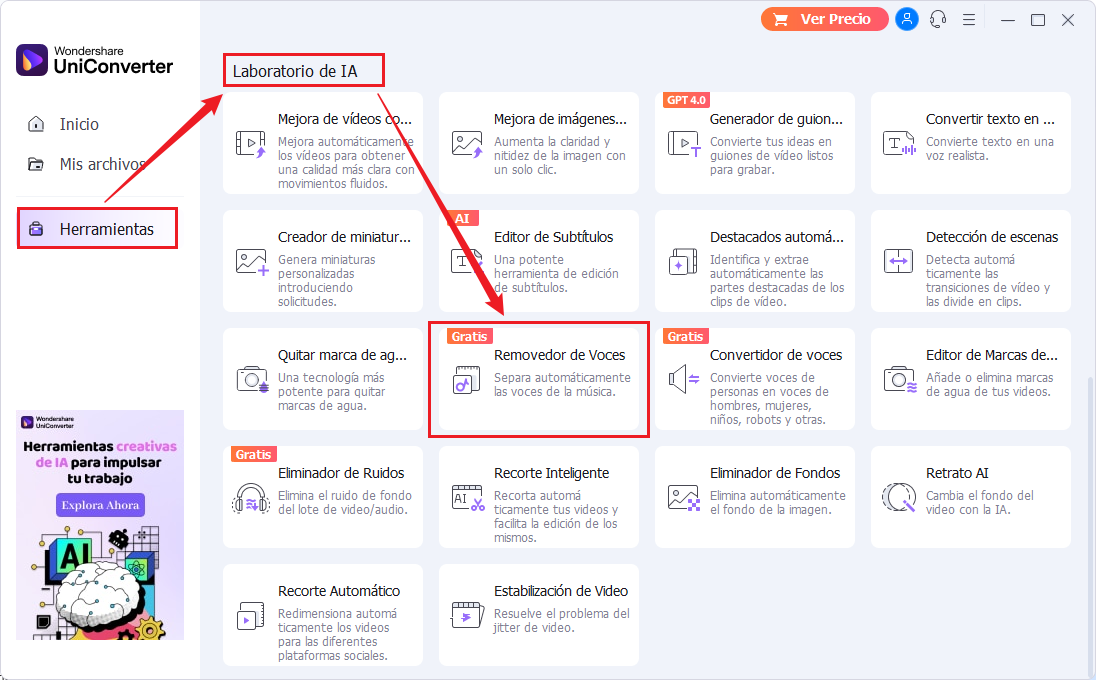
- Access Voice Remover.
The first thing you should do is download and install UniConverter on your PC. Once finished, you will have to open the program and click on the Voice Remover tab that is in the AI Lab option.
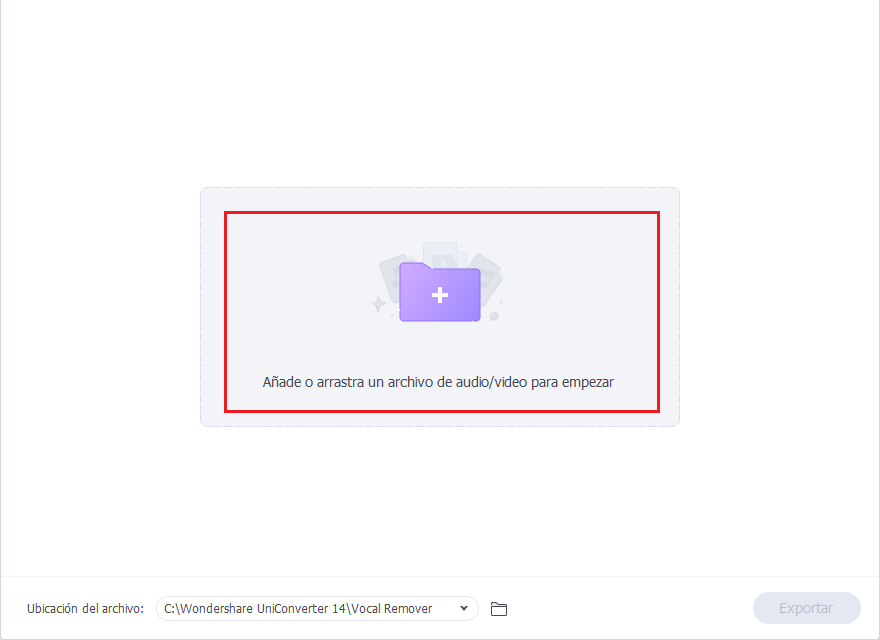
2. Add the audio file.
Then you will have to press the Add file button to load the audio you want to modify into the software.
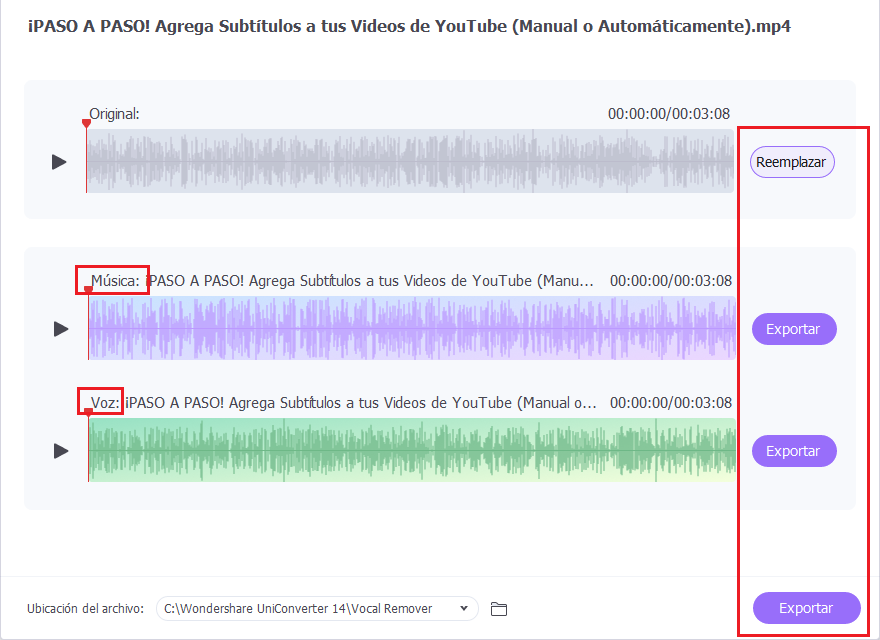
3. Analyze the file.
Then, in the Voice Remover option, you will be able to automatically analyze and extract the voice in seconds with artificial intelligence.
4. Export the file.
Finally, you will have to click on File location and on the Export button to download the modified audio to your computer.
This does not end here, because the Wondershare UniConverter software also has other interesting functionalities integrated into its editor, such as:
- Video conversion between more than 1000 popular formats.
- Video compression reducing its size without losing original quality.
- Video editor to crop, add subtitles and watermarks.
- Other AI functionalities such as Text to Speech Conversion and Video and Image Enhancer.
Method 3: Remove voices from video online
Finally, we also want to highlight that you can remove voices using online programs. This is a method that is usually recommended mainly to beginner users who seek to easily remove the voices from their videos before publishing them on YouTube without having to install programs.
Today there are several web platforms that offer the online voice removal service, both free and paid. The most popular are the following:
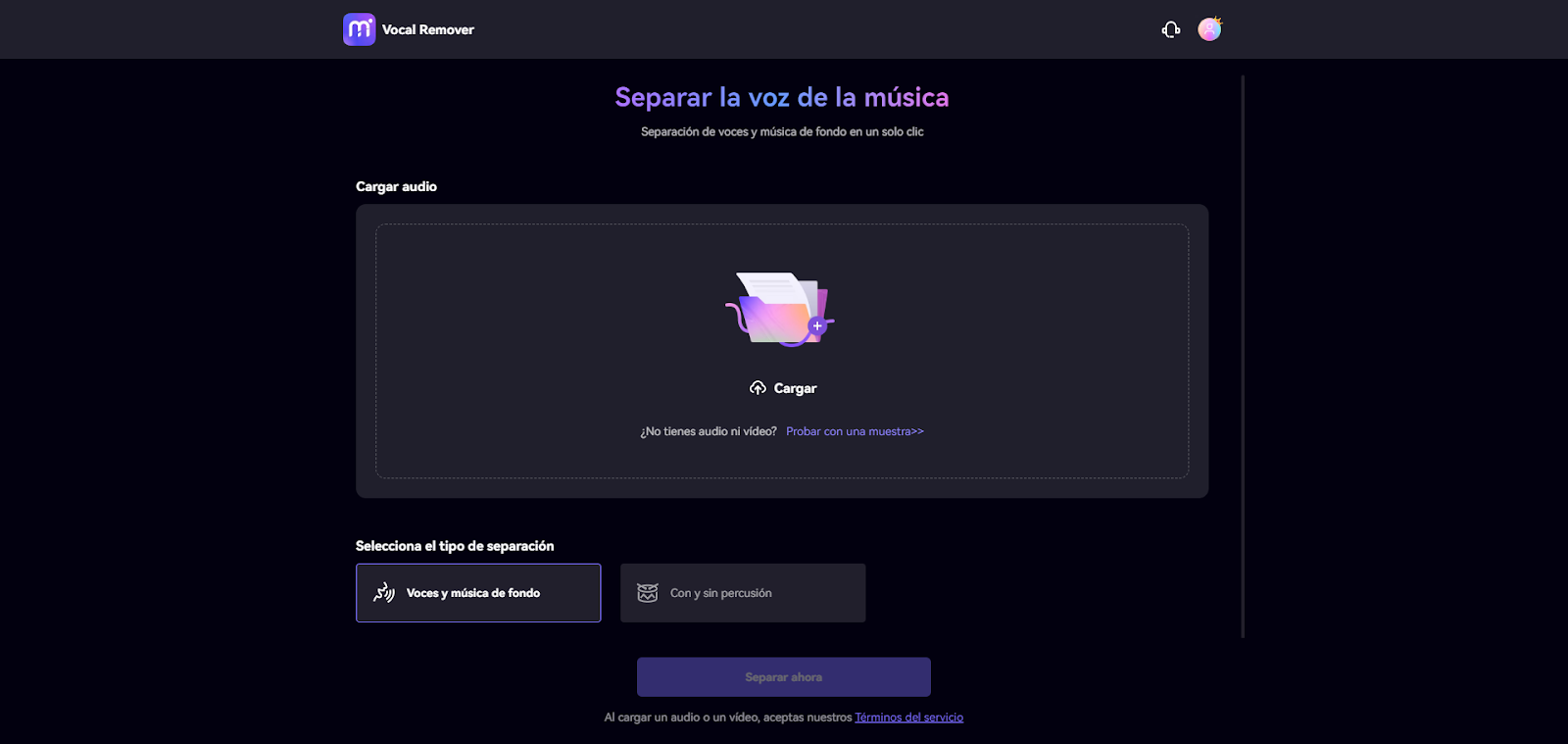
- Media.io
This is a free website where you can access, upload a file and remove voices from the video easily.
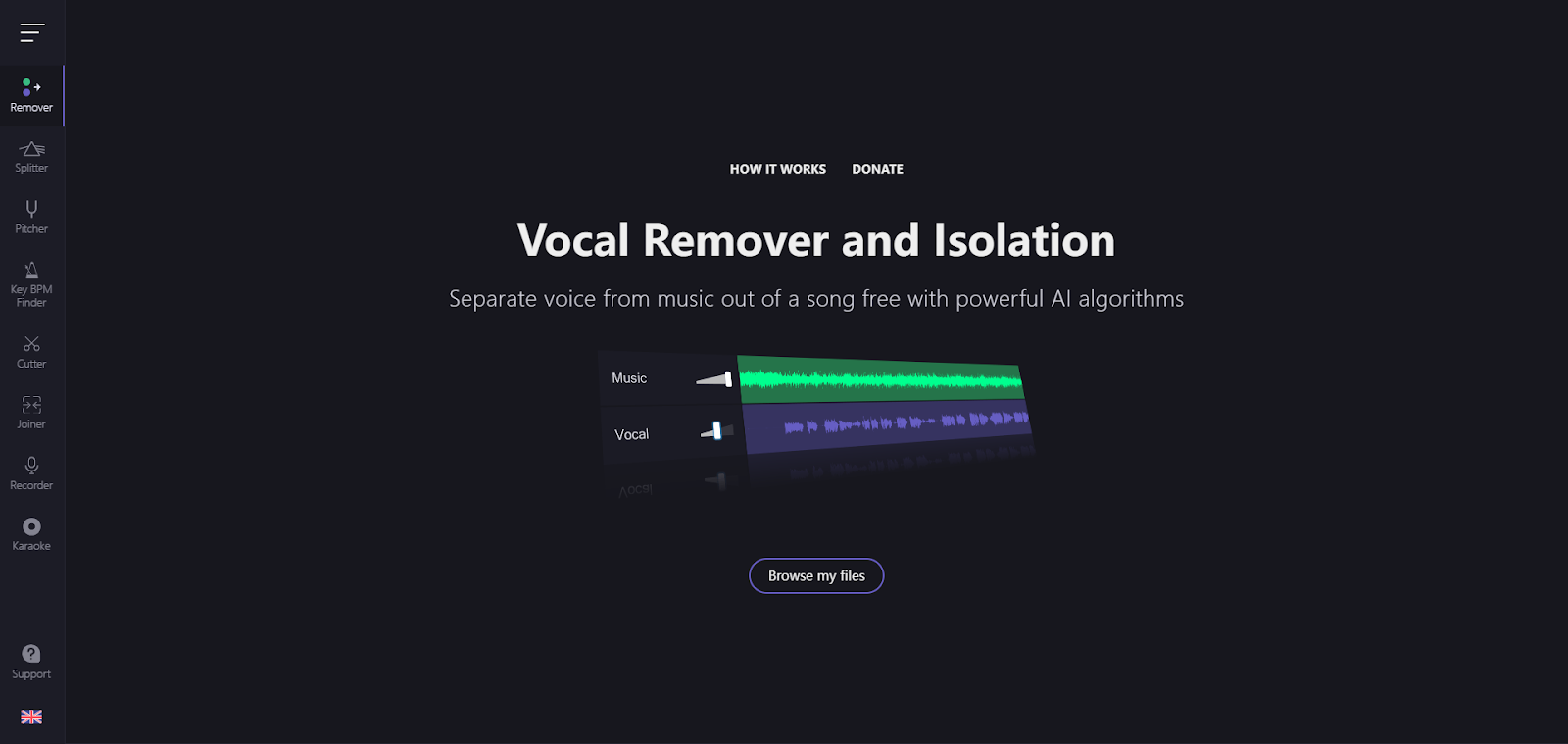
2. Vocal Remover
Another interesting online tool that you could try and that is totally free is Vocal Remover. In this case, the platform will offer you the possibility of obtaining good quality results during the voice removal process.
That said, it should be noted that the operation of online platforms for voice removal is quite simple, as we will see below.
- Access the platform of your interest and upload the video you want to modify.
- Select the remove voice option that is in the online editor interface.
- Wait for the processing that the platform will carry out for the separation of the voice.
- Download the final video.
Advantages and disadvantages of online solutions
Likewise, we want to highlight that the use of online platforms has its own advantages, such as:
- Easy to use.
- Fast.
- Free in some cases.
- Accessible from any device with an internet connection.
However, we have to show that they also have some disadvantages or limitations, such as:
- The free option is usually limited in terms of the duration of the video that can be uploaded.
- Variable quality depending on the platform and the complexity of the original audio.
- Internet dependence.
Frequently Asked Questions
1. How does the quality of the original video affect the final result?
The quality of the original video in many cases is affected during the voice removal process. In the event that the initial quality of the video is low or there is a lot of background noise, the separation of voice and music is a process that is usually carried out with much more difficulty, thus compromising the quality of the final audio.
2. How long does the voice removal processing take?
In general, the processing of voice removal will depend on the duration of the video, the complexity of the audio and the power of the computer or the speed of the platform used.
3. Is it important to back up data before using these methods?
It is always important and recommended to back up the original files before proceeding with the removal of voices from videos to avoid data loss.
Conclusion
Today, removing voices from video on YouTube is a necessity for creators for different reasons, whether for creating karaoke, dubbing or extracting background music. With today's guide we have presented the three main methods and the most effective to achieve the separation of voices.
Choosing which method to use will depend on your needs, your knowledge, level of experience and budget. Now, if what you are looking for is to edit video intuitively using even advanced functionalities, you should try Wondershare UniConverter, a software with quick installation that will allow you to separate the human voice and use other artificial intelligence functionalities that will improve the efficiency of the edition.
Add La Voz de Lanzarote as a preferred Google source.
Stay informed with the latest current news.